Make it visible, make it understandable: put visual management into motion in your company 🛠️
Aug 28, 2025
What if your company could speak without saying a word? Visual management makes flows, issues, and priorities instantly visible — so everyone knows what to do, without having to guess.
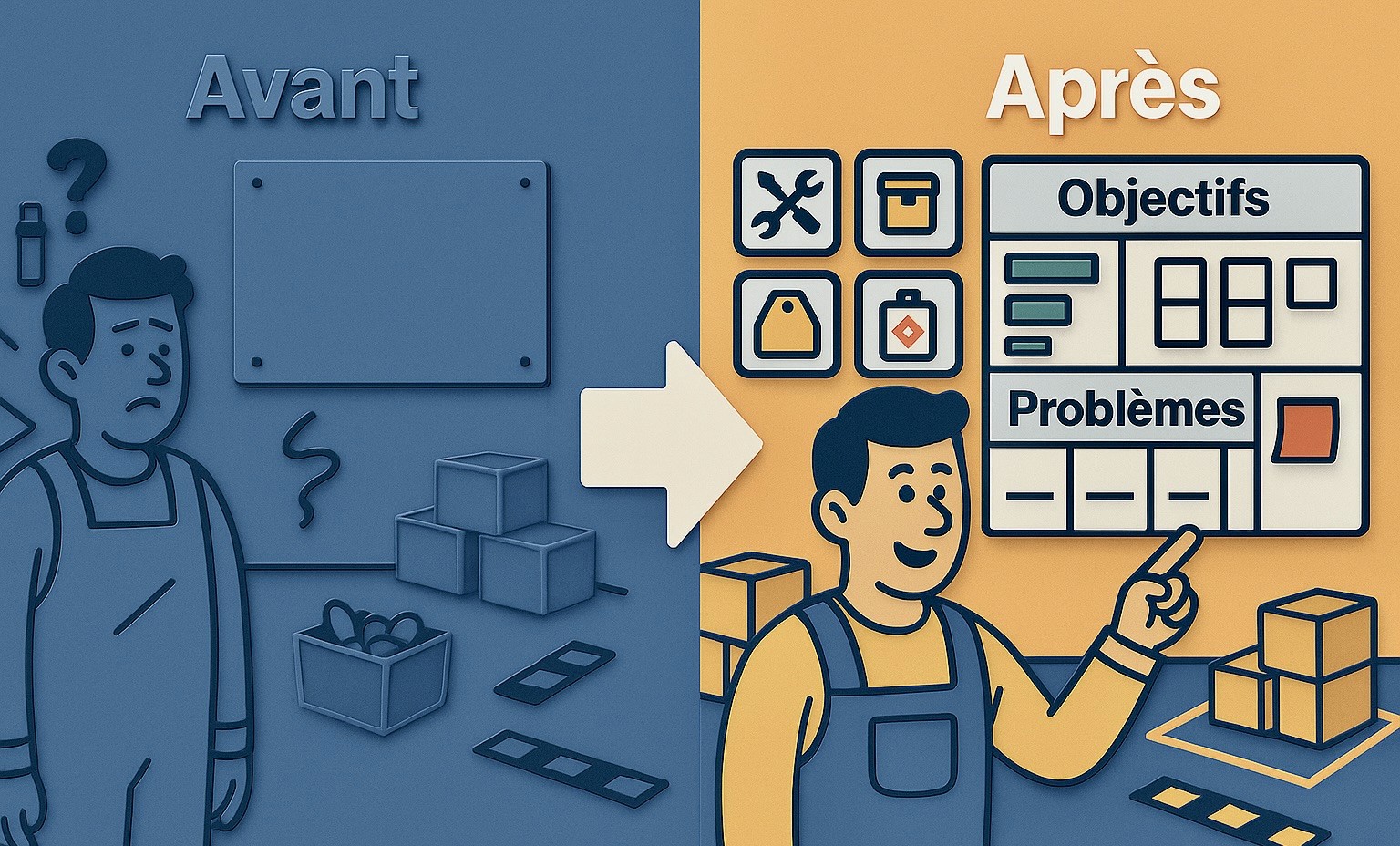
If we walked into your workshop, offices or warehouse today…
Would it be immediately clear what needs to be done, what’s blocking the flow, and what has changed?
Too often, the answer is unclear. Between forgotten Post-its, whiteboards that are never updated, and oral instructions, a lot of information gets lost — or remains stuck in the heads of just a few people. The result: misunderstandings, wasted time, and mistakes.
So what if, instead of repeating ourselves (or shouting…), we simply showed things?
Welcome to visual management: a simple yet incredibly effective method to ensure that information truly circulates — and is understood at a glance.
A tool for the entire company — not just the shop floor
Visual management isn’t limited to production. It applies everywhere:
Offices: project tracking, priority management
Logistics: stock status, shipping schedules
Maintenance: scheduling and follow-up of interventions
Quality: non-conformity management and action plans
Sales: visual tracking of quotes and follow-ups
Wherever there’s information flow, priorities to manage, or problems to solve, there’s a place for visual management.
Why it’s crucial in an industrial SME
In a small or medium-sized business, time is always tight, resources are limited, and everyone needs to be as autonomous as possible.
Poorly shared information immediately leads to issues in quality, delivery times, stress… and ultimately, direct impact on customer performance (OTD, OQD).
With proper visual management, workspaces — shop floors, offices, storage areas, meeting rooms — become living dashboards.
Everyone can see in real-time what’s progressing, what the priorities are, and above all, what’s going wrong.
“What is visible exists. What exists can be addressed. What is addressed can be improved.”
The link with other Lean practices
VSM (Value Stream Mapping): global vision of flows
6S (Sort, Set in Order, Shine, Standardize, Sustain, Safety): create a clear, orderly, safe work environment to boost performance and reduce waste
3G (Gemba, Genbutsu, Genjitsu): confirm observed reality
Eliminating Muda: much easier when problems are visible to all
What are we really talking about?
Visual management is not about “putting up posters to look nice.”
It’s about making the state of a system — flows, production, tools, work conditions, admin tracking — visible and understandable at a glance.
Examples of tools:
Floor markings to define storage, waiting, or scrap zones
Clear pictograms on tools, bins, documents…
Shop floor or office dashboards: targets vs actuals, daily issues
Kanban boards to manage production or task progress
Alert signals like Andon lights to indicate anomalies immediately
Best practices and common pitfalls
Good visual management doesn’t mean covering walls for the sake of it. Every visual element must have a purpose: to trigger an action or support a decision.
To be effective, a visual aid must:
🎯 Have a clear purpose – inform, alert, guide, trigger action
🛠 Be used – if it’s not part of decision-making, it’s just noise
⏳ Be up-to-date – outdated visuals undermine the whole system
👁 Be readable in seconds – avoid overloaded or overly technical visuals
📍 Have a reason to be where it is – unused visuals become invisible
💡 Field tip: before installing a visual tool, ask yourself:
Who will use it?
When?
For what purpose?
What happens if I remove it?
How to get started
1. Map your flows
Identify key zones and points where information is lost. Use a simplified VSM.
Example: a diagram of the order journey, from intake to shipping, with red dots showing visibility gaps.
2. Install first visual cues
Floor markings, pictograms, simple control boards per line or department.
Example: a magnetic board with Kanban cards, issue sheets, and daily priorities.
3. Create a daily routine
10-minute check-in at shift start: production status, issues, planned actions.
Example: team leader does a visual checklist tour — checks OK/not OK items.
4. Show the real situation
Physical Kanban boards, issue cards, status panels with color codes.
Example: a red Andon light above a stopped machine.
5. Train and involve everyone
Assign visual management referents + train everyone to use and update visuals.
Example: a workshop demo followed by immediate hands-on application.
Conclusion
Visual management is a powerful lever to empower teams, streamline communication, and speed up problem-solving.
Start small, with a pilot area. Keep visuals alive. Say no to ghost visual management.
When the company speaks through its walls, its screens and its cards, the whole team becomes more efficient, more responsive… and more engaged 💪
📌 And you? What will you make visible tomorrow: a flow, a problem, a goal?
📖 Want to go further?
The IndustrialOS Guide helps you diagnose your current practices, identify your strengths, and spot areas for improvement.
🔍 From quick diagnostics to practical scenarios, best practices and tools — everything is centralized on our platform.
💡 Discover how IndustrialOS can help you centralize, communicate, structure and steer your improvement actions — from visual boards to deeper operational transformation.